


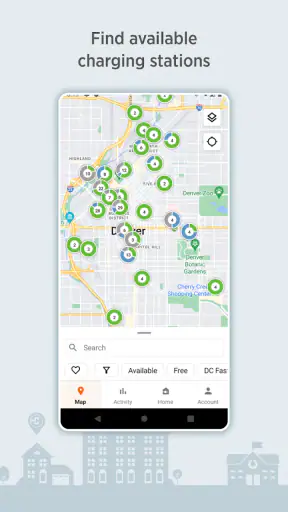
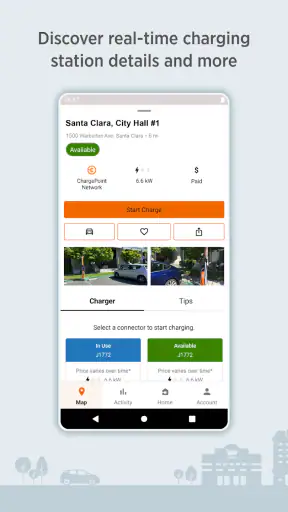
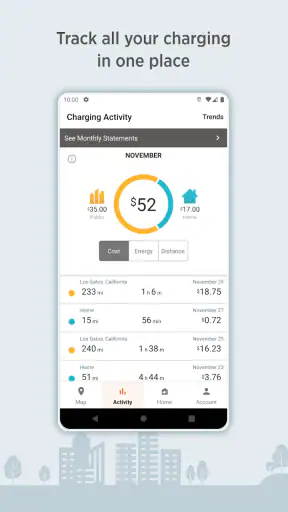
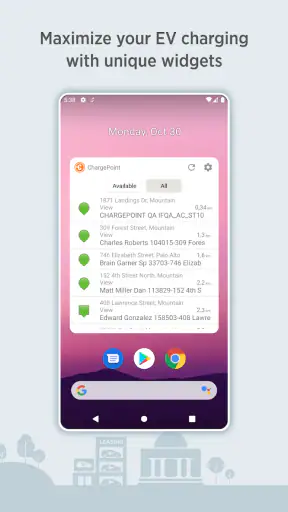
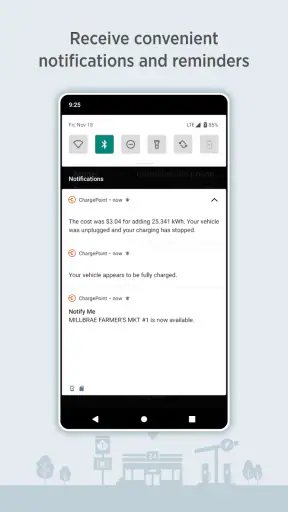
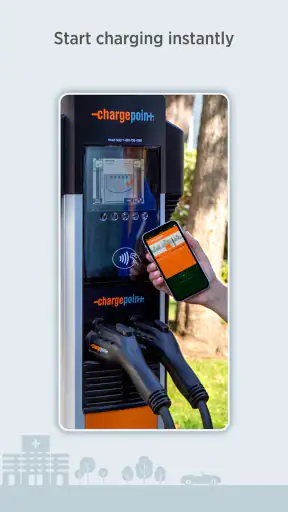
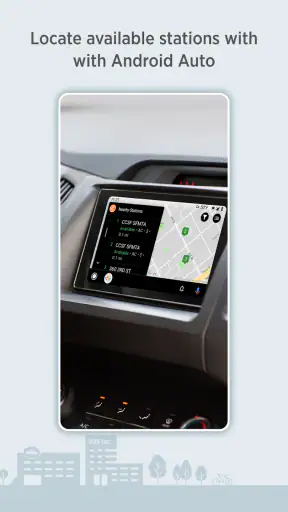
Finding a public charger is easy in theory; finding one that fits your route, your car, and your timing is where the real frustration begins. I tested ChargePoint with that practical problem in mind, treating it less like a simple map and more like a travel companion for electric-car charging. It is a free Maps & Navigation app from ChargePoint, Inc., available to everyone, and its main job is to help you locate charging places while also giving home charging a central place in the same experience.
My overall impression is that ChargePoint is most useful when I plan ahead instead of waiting until the battery is nearly empty. The app can reduce the guesswork around a stop, but it does not remove every uncertainty. Charger availability can change while I am driving, and a location that looks convenient on a map may still be awkward because of parking, access, or the time needed to charge. That balance matters: this is a helpful planning tool, not a guarantee that every charging stop will be effortless.
How ChargePoint feels when speed matters
The first thing I noticed is that the app’s usefulness depends more on how quickly I can make a decision than on flashy presentation. When I open it with a clear destination in mind, I want to answer a few questions immediately: where can I charge, is the station close enough, and is it sensible for this trip? ChargePoint is at its best when I use it to narrow those choices before setting off.
I would not describe it as a replacement for every navigation tool on my phone. A general map app is often better for the complete journey, traffic context, and ordinary driving directions. ChargePoint has a more focused role: it keeps charging locations and home charging in view. I usually use it alongside my preferred navigation app rather than expecting it to manage every part of a long drive.
That extra step is worth it for electric-car owners because charging is not just another point of interest. A station needs to be reachable with the remaining battery, usable by the vehicle, and suitable for the length of the stop. The app helps me start that check in one place. Its real speed advantage is decision speed: it turns a vague charging worry into a shortlist of places to investigate.
There is also a difference between opening the app at home and using it in a moving car. At home, I can browse calmly, compare possible stops, and think about the route. On the road, I need concise information and large, obvious actions. I found the planning situation more comfortable than the last-minute situation, which is common for charging tools in general. If I am already under pressure, I prefer to decide before leaving.
The app is free, which makes it easy to keep installed even if I use another navigation service for most trips. Its long presence in the category also helps explain why it has become familiar to many drivers. The Android listing shows more than a million installs, with an average rating of 3.9 from roughly fifty-four thousand ratings. Those figures suggest a widely used tool with a mixed but generally workable reception, rather than a flawless experience for every driver.
What happens during a busy charging stop
The most demanding moment is not usually starting the app. It is using it when I am tired, short on time, or trying to make a decision while other people in the car are waiting. A charging search can become complicated quickly: the nearest place may not be the best place, and the first result may not suit the vehicle or the planned stop.
My practical advice is to search while parked and choose a backup before pulling away. That small habit changes the experience considerably. If the first station is occupied or inconvenient, I am not beginning the search from scratch. I can move to the alternative with less distraction and less pressure. This is one of the more valuable workflows in ChargePoint, even though it is not the kind of benefit a short store summary can explain.
For longer journeys, I would also avoid treating a single location as the entire plan. I prefer to identify a primary stop and another reasonable option farther along or slightly off the route. That approach is especially useful when the trip includes unfamiliar roads, busy travel periods, or a vehicle whose energy use varies significantly with weather and driving style.
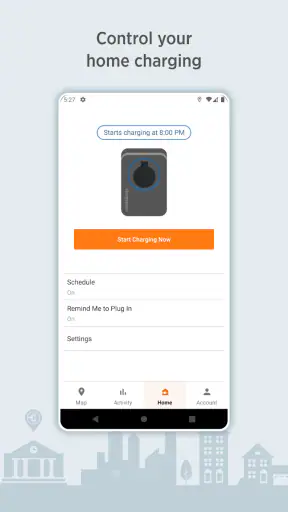
Home charging is a different use case. Here, the app is less about finding an emergency solution and more about keeping a regular routine organized. If I charge at home often, having that part of the ownership experience beside public charging makes the app feel more complete than a basic public-station map. It gives me one place to return to rather than splitting occasional public searches and everyday home charging across unrelated tools.
Still, I would not rely on the app alone to estimate how long a stop will take in every situation. Charging speed depends on the vehicle, the charger, the battery state, and other real-world conditions. ChargePoint can help me find the location, but I still need to apply common sense about how much energy I need and how long I can realistically stay there. That distinction prevents disappointment.
Stability and the reliability of charging information
In my experience, the most important kind of reliability here is not whether the app opens; it is whether the information helps me make a sound choice at the moment I need it. A charging app can feel stable and still be frustrating if the station situation has changed since the information was displayed. I therefore treat what I see as useful guidance, not an absolute promise.
That is why I like using ChargePoint before the trip begins. I have more time to inspect a location, think about the route, and decide whether its position makes sense. If I wait until the battery is low, every uncertainty becomes more expensive. The app remains useful, but my margin for error becomes smaller.
Recovery is another practical consideration. If a search does not immediately give me the answer I want, I do not keep tapping randomly. I back up, change the search area, and reconsider whether I am looking for a public station or managing home charging. Separating those tasks helps me recover from an unhelpful search faster than repeatedly refreshing the same view.
I also recommend keeping a general navigation app available. That is not a criticism of ChargePoint; it is a sensible division of responsibilities. ChargePoint is specialized around charging, while a conventional navigation app may provide a broader view of roads, traffic, and nearby services. If the charging app does not present a location in the way I expect, the second app gives me another way to understand the surroundings.
The app has been available since June 2011, and its developer is ChargePoint, Inc. That history gives it the feel of an established product rather than a brand-new experiment. However, longevity should not be confused with perfect coverage or perfect station conditions. My confidence comes from using it as one part of a charging routine, not from assuming it can predict every change at a location.
Phone limits, battery use, and everyday handling
ChargePoint is not the kind of app I would expect to overwhelm a modern phone during ordinary browsing. My bigger concern is the usual one for any navigation-related tool: screen time, location use, mobile data, and the temptation to keep checking while driving. The safest and most comfortable workflow is to do the research while stationary, then hand the actual route guidance to the tool I normally trust for driving.
On an older or smaller phone, the challenge is less about raw power and more about reading a map quickly. A crowded display can make nearby options harder to distinguish, especially when I am parked in an unfamiliar area and trying to make a fast choice. A larger screen helps with planning, but it does not solve the underlying question of whether the station is genuinely convenient.
Battery-conscious users should remember that charging searches are often done at exactly the wrong time: when the phone is already being used for directions and the car battery is also a concern. I would search earlier, save the plan mentally or in my normal navigation workflow, and avoid leaving multiple map-heavy apps open unnecessarily. This is a simple habit, but it makes the whole trip feel more controlled.
Permissions and phone settings can also affect the experience. If location access is restricted, the app may be less convenient for finding nearby places, so I would review the phone’s settings before blaming the app. At the same time, I would not grant more access than I am comfortable with. The best setup is the minimum permission arrangement that still supports the way I intend to search.
For drivers who switch between Android and iOS devices, the important question is not only whether the app is available on the preferred platform, but whether the same charging routine feels familiar after the switch. I would install it on the phone I actually carry in the car and test the workflow at home first. That avoids discovering interface or account friction during a trip.
Three workflows that make the app more useful
The first workflow is the backup-stop method. Before a longer drive, I identify one likely charging place and one alternative. I then check whether both make sense for the route and the expected battery range. This is more reliable than searching only when the warning light appears, and it gives me a recovery plan if the first choice is inconvenient.
The second is separating “near me” from “on my way.” A station can be close in straight-line distance but poor for the actual journey. I use the map to understand the broader position, then verify the route in my regular navigation tool. This prevents the common mistake of choosing the closest visible charger even when it creates an unnecessary detour.
The third is treating home charging as a routine rather than an emergency feature. I find the app more useful when I use it to keep public and home charging in the same mental workflow. For someone who charges at home most nights and only occasionally uses public stations, that consistency can matter more than having a long list of extra map features.
A fourth useful habit is deciding what “enough charge” means before searching. If I only need enough energy to get home, the best stop may differ from the best stop for a long break. ChargePoint can help me locate possibilities, but the decision still depends on my vehicle, schedule, and route. Making that choice first keeps the app from turning a simple need into an endless search.
Who should use ChargePoint, and who should choose something else?
I think ChargePoint is a strong fit for electric-car owners who want a dedicated charging companion without paying for the app. It is especially sensible for people who use public charging regularly, plan road trips, or want home charging and public charging represented in one place. Newer EV drivers may also appreciate having a focused tool while they learn how to plan around battery range.
It is less compelling for someone who almost never needs public charging and already has a vehicle system that handles every relevant search comfortably. In that case, another app may be simpler because it is already integrated into the car or the driver’s normal route planning. I would also hesitate to make ChargePoint my only tool if I regularly travel through areas where station information changes quickly or where I need highly detailed traffic guidance.
Drivers who want a full replacement for a general map app may be disappointed. ChargePoint’s value is specialization, not universal navigation. I prefer it as the charging layer in a broader setup: use it to think about charging, then use the navigation tool that best handles the drive itself. That combination is more realistic than asking one app to do everything.
The age rating of Everyone also makes it straightforward to consider for a household where more than one person may help plan charging. The interface still needs sensible use in the car, of course. I would never encourage browsing while driving, regardless of the app. Planning with a passenger or while stopped is the better approach.
My performance verdict after using it as a charging companion
ChargePoint is most convincing when I use it early, calmly, and with a backup plan. Its performance is less about dramatic speed than about reducing the number of separate steps involved in finding a charging option. The app feels focused, and its support for both public charging searches and home charging gives it a practical place in an EV owner’s routine.
The limitations are equally important. A map result cannot guarantee that a charger will be free, accessible, or ideal for my vehicle at the exact moment I arrive. The app also does not replace the broader awareness I get from a general navigation service. I need to check the route, think about battery margin, and keep an alternative in mind.
With roughly seven thousand six hundred written reviews and a 3.9 average, the reception looks solid but not universally enthusiastic. I read that as a reason to set sensible expectations rather than dismiss the app. It is free, established, and useful for a specific problem, but the quality of any charging trip still depends on conditions beyond the screen.
After using it, I would recommend ChargePoint to a friend who owns an EV and wants a dedicated place to plan charging without adding another paid subscription. I would tell that friend to install it, explore a familiar route while at home, compare its charging view with their usual navigation app, and prepare a backup stop before a long trip. Used that way, it earns its place on the phone. Used as a last-second guarantee, it cannot remove the uncertainty that comes with real-world charging.


